Forum Categories
Quick to Target
Browse Categories
Community & Help

Uploading images here in the forum

22707 Posts Recent Started
Thursday, September 18, 2014 at 5:43 PM
hello everyone

from time to time the question comes up of how to upload images here in the forum.
I'll show it briefly using an example image.
First, click with the mouse on the spot where the image should appear in the editor.
For me, that is now in the line below this line here.


A small window will then open. Unfortunately I can't take a screenshot of it, but I'll describe to you how it works.

At the top of this small window it says
Image Properties
below that: Image Info  - Link - Upload
So you click on Upload.
Then it says send to server
and below that:
Browse (as long as you haven't selected a file, it will say: choose file; later the name of the relevant file will be displayed)
So you click on Browse and then select the relevant file.
Very important: Under "Choose file" there is another button, "Send to server". You absolutely have to click that, otherwise it won't work.
At the very end, confirm with the green OK button, which can be found a few centimeters further down.


If you like, you can try it out here in the thread with an image that belongs to you, or that you have the rights to. Because only images that belong to you, or that you have the rights to, may be uploaded.

 

231 Posts Recent Started
Thursday, September 18, 2014 at 5:51 PM
Just a quick tip: Internet Explorer causes problems during uploads; it’s better to try using Chrome (based on my own experience).

Best regards,
Maike

22707 Posts Recent Started
Thursday, September 18, 2014 at 5:53 PM
Thanks for the tip, Maike :- )
Firefox usually works just fine, though.

1103 Posts Recent Started
Saturday, September 20, 2014 at 12:20 AM
I also struggled with “Send to Server” at first, but eventually I figured it out. Thanks, Mod :)

534 Posts Recent Started
Saturday, September 20, 2014 at 10:39 AM
I can’t get it to work... I only ever see part of the image...
Probably too big? Too bad—I guess I’ll need an image editing program first?

I wish there were a way to resize the photos here while uploading them...

22707 Posts Recent Started
Saturday, September 20, 2014 at 10:51 AM
If you only see part of the image in the preview or when the upload window is open, that’s no big deal. Just click the green OK button, and the entire image will be uploaded. The preview just shows a section of it—that’s totally fine and doesn’t mean your image is too big.
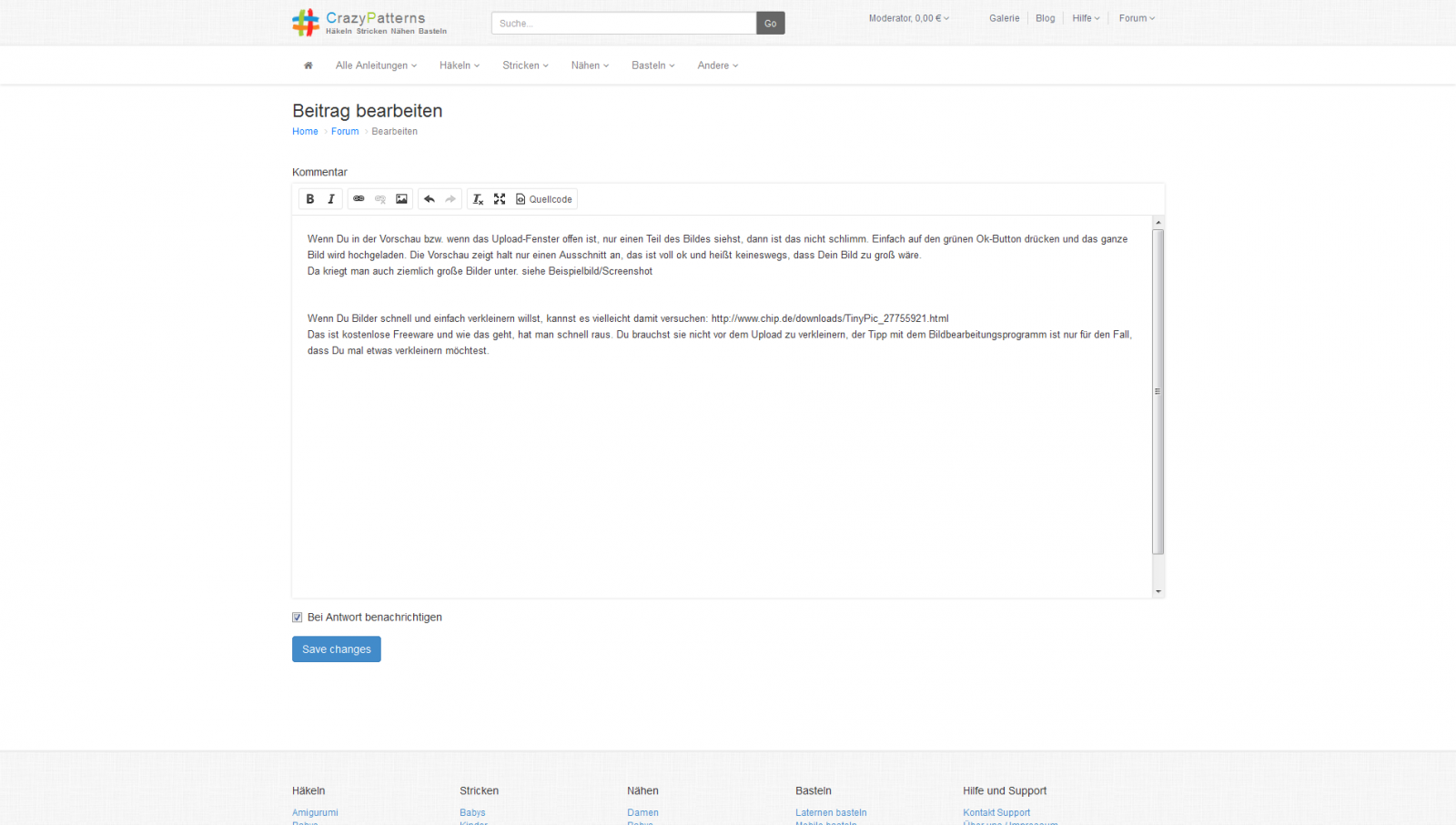
You can even upload pretty large images this way. See the example image/screenshot—that one’s really big, but it didn’t need to be resized. (I’ve included a tip for resizing at the bottom, so please scroll down anyway)


If you want to resize images quickly and easily, you might want to try this: http://www.chip.de/downloads/TinyPic_27755921.html
It’s free software, and it’s easy to figure out how to use it. You don’t need to resize them before uploading; the tip about the image editing program is just in case you ever want to resize something.

534 Posts Recent Started
Saturday, September 20, 2014 at 11:37 AM
Wow... thanks a lot

22707 Posts Recent Started
Saturday, September 20, 2014 at 11:45 AM
you're welcome :-) I just edited it and attached a really large image for demonstration purposes. I hope you saw it.

534 Posts Recent Started
Saturday, September 20, 2014 at 11:49 AM
Phew... I’m really sorry... sometimes I’m not the brightest bulb on the Christmas tree.
The link to my pattern didn’t work in my first comment... I’ve added a second one below.

It doesn’t look great, but it’s better than nothing. 

534 Posts Recent Started
Saturday, September 20, 2014 at 11:52 AM
Now I opened the post a second time,
now the photo is gone, but the link still works ??? 


22707 Posts Recent Started
Saturday, September 20, 2014 at 11:52 AM
I made the link in the first post clickable and placed the image below the text.
If there’s a large image there, it’s better to put the text and link before the image; otherwise, they might get buried.
I hope that’s okay with you.
I’ll delete the second post since everything is now in the first one.

22707 Posts Recent Started
Saturday, September 20, 2014 at 11:53 AM
Second post: Hats off to you—you’re really getting the hang of uploading images now.
Take another look at the post; I fixed the image again :-)

534 Posts Recent Started
Saturday, September 20, 2014 at 11:53 AM
Sorry, but I think this is all a bit too much for me... lol

Thanks for your help 

22707 Posts Recent Started
Saturday, September 20, 2014 at 11:59 AM
You're welcome :-)
Now everything fits in your post in the Christmas thread—the post is there, the link is there, the text is there, and a nice picture is included.
You’ll definitely learn all of this eventually; I’ll help you with any questions you have and stuff like that.
I mean, if you can create nice patterns—which takes some brainpower—you can definitely handle this too, like uploading pictures and all that stuff.
I have complete confidence in you. Everything’s going to be fine. Besides, Rome wasn’t built in a day. :- )

438 Posts Recent Started
Saturday, September 27, 2014 at 9:19 AM

438 Posts Recent Started
Saturday, September 27, 2014 at 9:20 AM
Yay, it worked—now I just need to come up with some text!

26 Posts Recent Started
Tuesday, October 20, 2015 at 12:10 AM

26 Posts Recent Started
Tuesday, October 20, 2015 at 12:11 AM
It worked

Write Reply

Please register or Log in!

Latest comments

18 actual comments last by Moderator
Yesterday at 5:30 PM
6 actual comments last by Libelle11
Yesterday at 10:22 AM
24 actual comments last by Libelle11
Yesterday at 10:09 AM
5 actual comments last by Schnuckelina
Jun 21, 2026, 5:10 PM

Popular patterns

Top patterns from Natalija from the Crochet category!
Top patterns from MorbenDesign from the Crochet category!
Top patterns from elke-eder from the Crochet category!
Top patterns from stricken-im-trend from the Crochet category!
Top patterns from NiggyArts from the Crochet category!
Top patterns from stricken-im-trend from the Crochet category!
Top patterns from stricken-im-trend from the Knitting category!
Top patterns from stricken-im-trend from the Crochet category!
Top patterns from elke-eder from the Crochet category!
More top patterns

Free patterns

Top patterns from MorbenDesign from the category!
Top patterns from jennysideenreich from the category!
Top patterns from MorbenDesign from the category!
Top patterns from Hobbii from the category!
Top patterns from MorbenDesign from the category!
Top patterns from Miralay from the category!
Top patterns from MorbenDesign from the category!
Top patterns from Hobbii from the category!
Top patterns from MorbenDesign from the category!
Top patterns from KuemaTutorials from the category!
Top patterns from Dianas-kleiner-Haekelshop from the category!
Top patterns from christina-lemberger from the category!
Top patterns from Hobbii from the category!
Top patterns from NataliSkill from the category!
Top patterns from martina-supova from the category!
Top patterns from DIY-4U from the category!
Top patterns from LEOmuster from the category!
Top patterns from ternuraamigurumi from the category!
Top patterns from JosephinesPuppenstuebchen from the category!
Top patterns from ternuraamigurumi from the category!
Top patterns from Hobbii from the category!
Top patterns from kandjdolls from the category!
More free patterns

Win shopping credit every month!

42 prizes / total value €300: 30×€5, 10×€10, 2×€25 – simply activate the newsletter. No purchase necessary. Unsubscribe at any time. Prizes are awarded as Crazypatterns shopping credit. Learn more