Quick to Target
Browse Categories
Community & Help

Cut Files

For precise results, you need clean paths, separated layers, and a file format your cutting machine reads reliably. Show more
For precise results, you need clean paths, separated layers, and a file format your cutting machine reads reliably. Here you’ll find cut files that let you adjust outlines, cut elements separately, and line up multi-color designs with confidence. Filter by project type and jump straight into the fine-tuning.

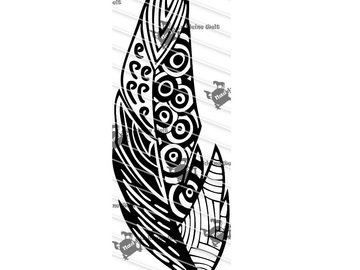
Plotterfile Feather

from US $2.08

Christmas Tealight Cover Plotterfile

from US $2.08

Cutting File "Vampi"

from US $5.20

Baptism Card Cutting File

from US $4.69

Cutting File "Smiiiile"

from US $5.20

Cutting File "Pandora"

from US $5.20
-25% Cutting File Snowman with Scarf and Hat Christmas SVG PNG DXF PDF

Plotter - Christmas bundle (PNG)

(1)
US $1.09

Cutting File

from US $5.20

Cutting File "Marshmellow"

from US $5.20

Cutting File "Bear is punk!

from US $5.20

Cutting File

from US $5.20

Cutting File "Little Death of Christmas"

from US $5.20

Cutting File "DragonCrew"

from US $5.20

Cutting File "Sugarfox"

from US $5.20

Cutting File "Moth"

from US $5.20

Cutting File "ZenEle"

from US $5.20

Cutting File "Wild"

from US $5.20

Cutting File "Police"

from US $5.20

Cutting File "Platon"

from US $5.20

Cutting File "Hope"

from US $5.20

Cutting File "Queen of the night"

from US $5.20

Cutting File "Music"

from US $5.20

Cutting File "Baby Owl"

from US $5.20

Cutting File "Talis"

from US $5.20

Cutting File "Snowflake"

from US $5.20

Cutting File "HexaOwl"

from US $5.20

Cutting File "BohoFox"

from US $5.20

Cutting File "Wood of Wolfes"

from US $5.20

Cutting File "Wolfgirl"

from US $5.20

Cutting machine crafts: Get creative with the right cutting files

Whether you’re making a card, a gift tag, or an iron-on design, the right cutting file gives your project a neat finish and helps you complete it faster. Checking a few details beforehand saves you time on weeding (removing excess vinyl) and helps you avoid failed attempts – from simple outlines to multi-part designs with layers.

Quick choice
  • ✓Project type: Decide whether you want to make an iron-on design, vinyl stickers, or a paper project – fine details vary in how feasible they are depending on the application.
  • ✓Scalability: For shirts and bags, it helps if you can scale the design up or down to a suitable size without making the lines too thin.
  • ✓Multiple pieces & layers: Multicolor or layered designs should have clearly separated elements so you can cut the pieces individually.
  • ✓File format: When looking specifically for cutting files, make sure the file format is compatible with your cutting machine and software.
What to look out for
  • ✓Intended use: Are you making iron-on designs, stickers, or paper crafts? This affects the level of detail, your choice of material, and how you work with it.
  • ✓Mirroring: When using heat transfer vinyl, many designs need to be mirrored before cutting – this is often stated in the instructions or depends on the type of design.
  • ✓File structure: Look for groups, layers, or separate paths so you can swap colors, adjust outlines, or cut pieces separately.
  • ✓Weeding effort: Very small interior areas and many individual dots make weeding much more time-consuming; allow enough time for them.
Common pitfalls
  • ✓Scaled down too much: Lines and interior areas become difficult to weed – choose a simpler design or scale it so the details are less delicate.
  • ✓Wrong orientation: Forgetting to mirror a design, especially text or designs for heat transfer vinyl, is a common cause of cutting mistakes.
  • ✓Unnecessarily complex paths: Too many nodes can increase cutting time and the risk of errors – simplify paths if your software allows it.
  • ✓Elements not separated: If pieces aren’t separated, making changes or cutting in multiple colors takes longer than necessary; if in doubt, contact the designer or check the file beforehand.
  • ✓Download problems: If files won’t open, downloading & unpacking them correctly often helps (for example, with ZIP files).

Frequently Asked Questions

Depending on the product, you’ll find different formats, often vector files such as SVG or DXF, as well as supplementary files (for example, PDF). The included formats are listed in the product description.

That depends on your cutting machine. Many machines use their own software; common vector formats such as SVG or DXF can be imported depending on the system. Check the product details before purchasing.

Designs with clear outlines and fewer very small interior areas are generally quicker to weed. The preview often shows whether a design contains many intricate areas.

That depends on the license for the design. Read the license and usage terms on the product page.

Yes, you’ll find a dedicated category for cutting files.