Quick to Target
Browse Categories
Community & Help

Digital Scrapbooking Downloads

Turn photos, text, and graphics into personal layouts for album pages, cards, or your planner. Show more
Turn photos, text, and graphics into personal layouts for album pages, cards, or your planner. Browse matching designs here – from digital paper to labels, tags, and printable templates. Pick your style and start creating right away.

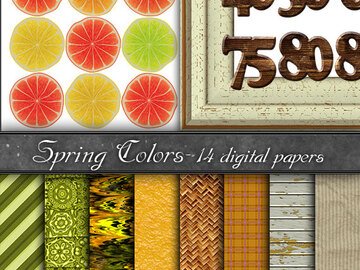
Digital Paper, spring colors

(1)
from US $3.12

Wood Texture seamless

from US $3.12

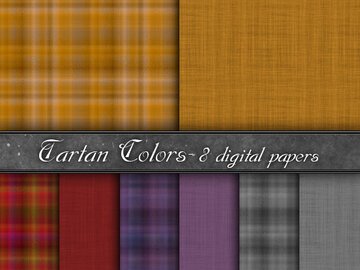
Digital Paper, tartan nr.1

from US $3.12

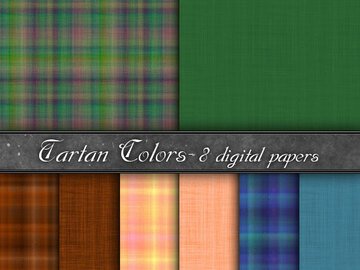
Digital Paper, tartan nr.2

from US $3.12

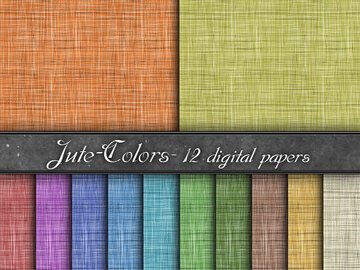
Digital Paper, backgrounds green

from US $3.12

Digital Paper, backgrounds orange

from US $3.12

Digital Paper, backgrounds red

from US $3.12

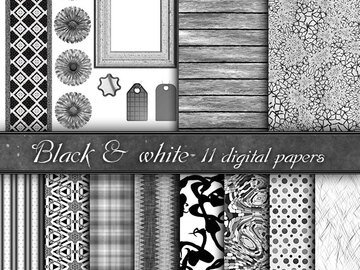
Digital Paper, backgrounds black & white

from US $3.12

Digital Paper, backgrounds blue

from US $3.12

Digital Paper, backgrounds yellow

from US $3.12

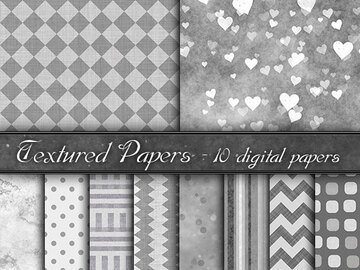
Digital Paper, backgrounds gray

from US $3.12

Digital Paper, backgrounds orange

from US $3.12

Cute chickens digital paper

from US $4.18

Cute Rabbits, Hares, Flowers, Roses, Digital Paper

from US $3.66

Cute Bunnies, 7 png Rabbit, clip art

from US $5.22

knitting clipart files

from US $4.18

Seamless digital paper Knitting

from US $3.66

Digital Scrapbooking: Create Freely, Use Flexibly

Digital scrapbooking combines photos, text and graphic elements into layouts for photo albums, memory books, cards or planners. You create on a computer or tablet and use the results either in print or purely digitally, from simple designs to playful themed creations.

Quick choice
  • ✓Purpose: Choose designs to suit your project, such as album pages, journaling, cards or planner inserts.
  • ✓Design style: From clean and modern to nostalgic – vintage designs are a good choice for a retro look.
  • ✓Element type: Decide whether you mainly need digital paper, stickers/labels, frames or journaling cards.
  • ✓Theme & occasion: Seasons, family, travel or holidays – you can find matching templates for occasions such as weddings, birthdays or Christmas.
What to look out for
  • File format: Files often come as PDFs for direct printing or as PNGs with transparent backgrounds. Check the description to see which formats are included.
  • Dimensions and trimming: Check whether the design is sized for A4, A5, 30 × 30 cm or another format, and whether bleed or cutting lines are included.
  • Resolution: A resolution of around 300 dpi is standard for crisp print results.
  • Compatibility: If you want to edit elements further in an app or software, look for information about layers, editable text or any programs you may need.
  • Usage rights: Whether and how you may use files for personal or commercial purposes is specified for each download. Read the license terms and descriptions carefully.
Common pitfalls
  • Downloading & unpacking: If files seem to be “missing,” they are often just compressed. See the help page on downloading & unpacking.
  • Color differences: Colors look different on screen and in print. A test print and suitable print profiles reduce surprises.
  • Test print: For new designs, make a test print before printing on high-quality paper or in batches.
  • Paper choice: Use heavier paper for cards and choose matte paper if you want to avoid glare.
  • Borderless printing: If you don't want borders, check the “borderless” print setting, provided your printer supports this option.

Frequently Asked Questions

It depends on the file format: you can usually print PDFs directly; PNGs and similar graphic files can be placed in many photo and layout programs as well as compatible apps.

Yes, many elements are also suitable for digital albums or planners. Check whether the files are scaled appropriately for screen use.

Screens and printers display colors differently due to technical differences. A test print and correctly chosen print settings help you avoid surprises.

This varies by download. The information in the product description and the applicable terms of use determine what is permitted.