Categories
Quick to Target
Community & Help
Hello everyone,
The photo challenges that used to run here in the forum now have their own section: the Challenges. It isn’t linked anywhere in the shop yet, so you’re the first to see it. You can find the previous challenges from the forum there under “Past Challenges.”
What’s currently running
The first challenge is called “Warm in Winter”: socks, blankets, wrist warmers, and anything else that keeps you warm in winter. You can participate until November 30. In December, we’ll continue with “Christmas Decorations,” and in January with “Finally Done!”.
Here’s how it works
Log in, click “Join,” and share up to three photos of your own creations. The photos will appear in the gallery as usual.
You can win store credit:
Each person (including authors) can win only once per challenge. Winners are automatically determined the day after the challenge ends, and store credit will be automatically added to your account. To be eligible to win, you must be at least 18 years old and reside in Germany, Austria, Switzerland, Liechtenstein, the United Kingdom, or Ireland. You can find the rest of the details in the terms and conditions.
What’s in it for you as an author
Of course, you can participate yourself, with projects based on your own patterns or those of others.
When you enter, you can specify which pattern you used to create the project. The photo will then be linked to the pattern, and a “Customer Photos” button will appear on the pattern page. The challenge page also features a section called “Already used for entries,” listing the patterns that most participants have worked from. Your own photos won’t count toward your own pattern in that section.
The overview also displays CALs and KALs from the shop.
If you tell your customers about this, there will be more photos for your patterns—and starting at 40 participants, there will be more prizes.
Your feedback
Check out the section, feel free to join in with a photo, and let us know here if anything is unclear, missing, or bothers you. Feedback—even critical feedback—is always welcome. And if you have ideas for topics in the coming months, we’d love to hear them.
Warm regards
Your Crazypatterns Team
Hello, dear Crazypatterns team, I think this is a wonderful idea and will promote it in my Facebook group.
I noticed an error while submitting my entry. I’m working from my phone (Samsung 25 Ultra).
I can’t start a search in the drop-down menu. It offers countless suggestions, making it impossible to find my pattern there. (Since I know many women who keep their photos on their phones, I assume entries are being submitted the way I tried to do it.)
I hope I can still fix this later.
Warm regards, Karoline 🌸
Dear CP Team, thank you so much for continuing the “community challenges” and even making them a permanent feature in the left-hand menu bar. That way, even people who don’t read the forum can find them. Once word gets out, I’m sure this will be very well received. I also like the potential link to patterns in the shop. Of course, you can also showcase projects for which there are no patterns. No one should feel left out.<\/p>
I’ve uploaded my three pictures for the current challenge. Everything is neat and user-friendly—except for finding the pattern I followed. That took quite a while for me, and probably for many others as well. I had to scroll through everything several times and read carefully to find what I was looking for. Maybe there’s a way to organize or filter them?<\/p>
I hope we all have a lot of fun with the new community challenges, and I’m keeping my fingers crossed for everyone to win. <\/p>
Best regards, Ina<\/p>
Hi Alexander,
Your post says:
"Log in, click 'Join,' and show up to three photos of your own work. ..."
I uploaded 3 different photos (based on 3 different patterns).
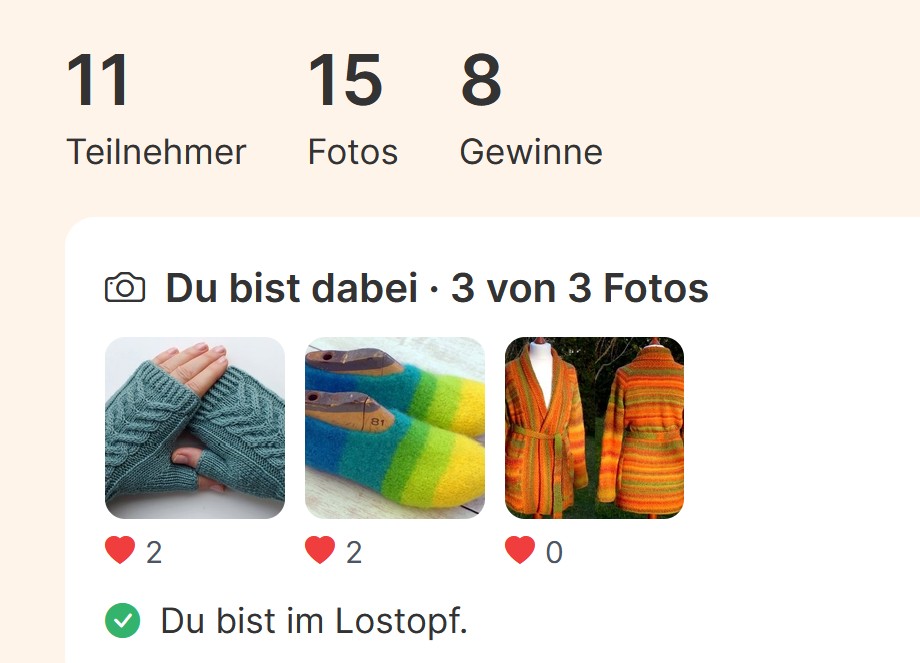
However, when I click the “Show All Works” button under “Challenges” in the menu bar, I only see one of my three photos—the other two are missing. If I can’t see them, others probably can’t either.
Currently, 15 images are displayed when I click “Show All Works,” but only one of my three images is shown.
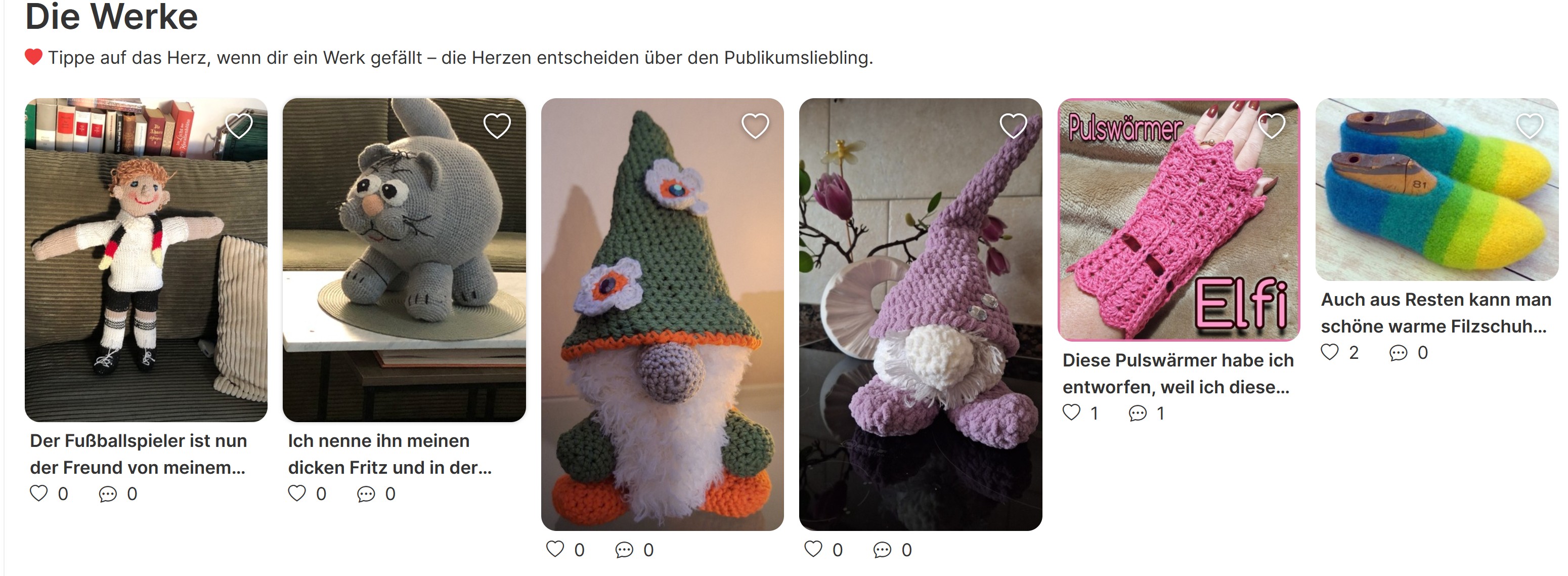
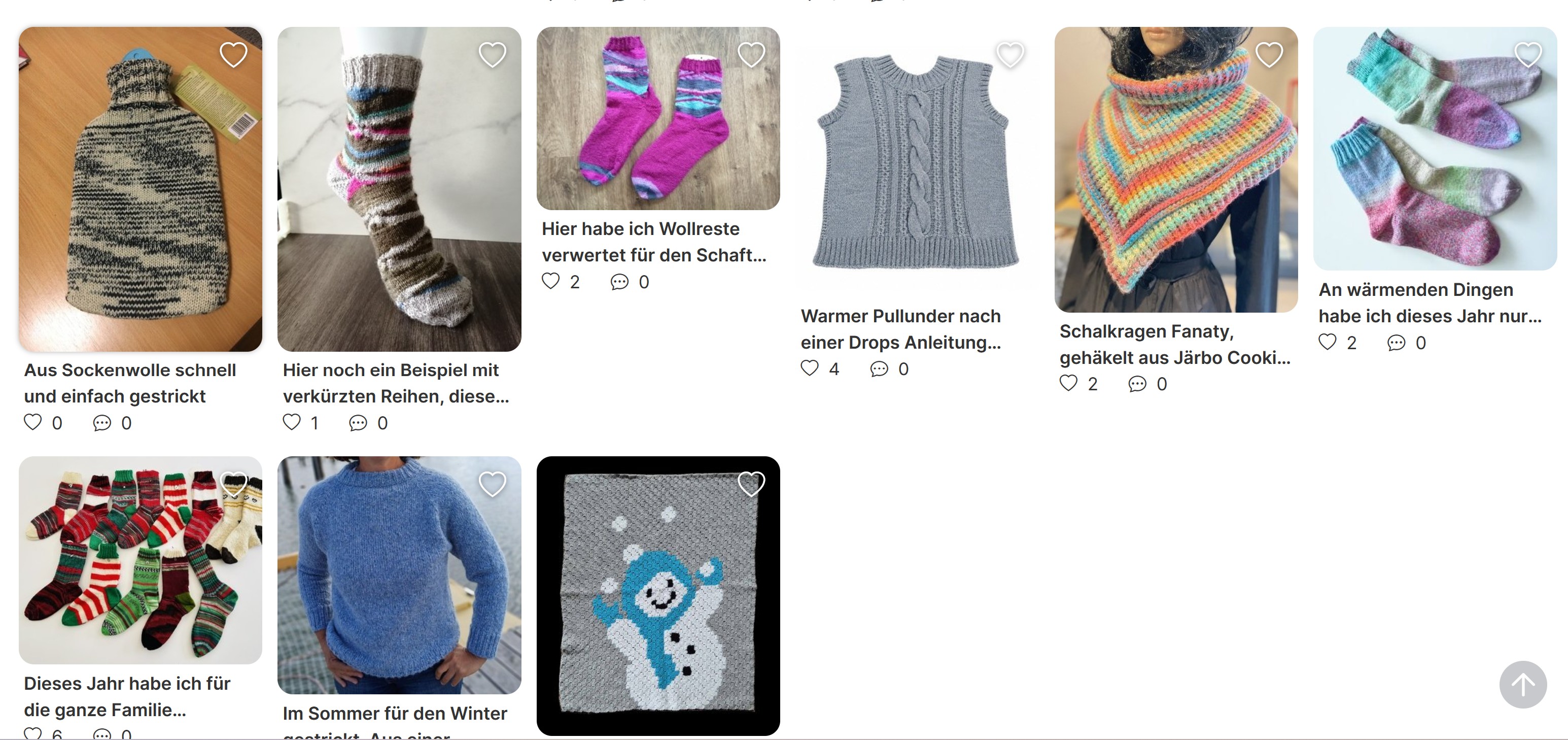
Did I misunderstand how the three photos work, or is there a technical issue that still needs to be fixed?
Best regards, Ina
Hi Ina,
you’ve understood everything correctly: For each challenge, you can submit up to three photos, and all three count.
Two of your photos were hidden because someone reported them, presumably assuming that authors aren’t allowed to participate. We reviewed the report, and now all three photos are visible again. Sorry they were missing for a while.
To clarify for everyone: Authors are also allowed to participate in the challenges, just like everyone else, with photos of works they’ve made themselves. However, product photos from your own shop don’t belong in the gallery (or in a challenge); we remove such images again.
By the way, reporting a photo no longer hides it immediately; we look at reports first and then decide.
Thanks for letting us know!
Best regards
Alexander